
무료, Slack·Discord에 바로 맞는 크기
모든 리액션이 이미 딱 맞는 크기로.
Gifoid는 검색 가능한 GIF·커스텀 이모지 라이브러리입니다. 잘라내고 압축까지 마쳐서 Slack이나 Discord에 바로 업로드할 수 있어요. 크기 조정도, 용량 제한 추측도 필요 없습니다.
이모지 1306개, 계속 늘어나는 중






:tempestclownnerd:
128×128 · 17.5 KB

:riot:
128×128 · 20.1 KB

:darlinginthefran:
128×128 · 33.2 KB
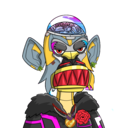
:roseapeslfg:
128×128 · 21.2 KB
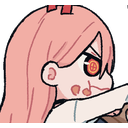
:powereat20:
128×128 · 21.5 KB

:323minus:
128×128 · 819 Bytes

:cococake:
128×128 · 23.2 KB

:caca:
128×128 · 7.51 KB

:pepeyoung58:
128×128 · 20.4 KB

:poolsclosed:
128×128 · 6.34 KB
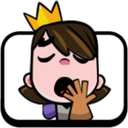
:yawnprincess:
128×128 · 18 KB

:kavehhappy:
128×128 · 31.8 KB

:zqnpandemonicasm:
128×128 · 36.8 KB

:shhh91:
128×128 · 11.9 KB

:nottingham:
128×128 · 13.5 KB

:visutherockstar:
128×128 · 99.2 KB

:anime:
128×128 · 33.5 KB

:glare18:
128×128 · 10.5 KB

:cosmicislandyeah:
128×128 · 1.72 KB

:break:
128×128 · 14 KB

:gemruby31:
128×128 · 20.9 KB

:mikasapout:
128×128 · 21.8 KB
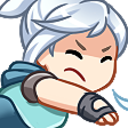
:jettshoot:
128×128 · 29.3 KB

:sanriopompomshak:
128×128 · 55.4 KB
더 보기…
Free Custom Emoji & GIFs for Slack and Discord
Gifoid is a searchable library of gifs and custom emoji curated from public sources. Every item is pre-processed into two ready-to-upload files — one sized for Slack (128×128px, under 128KB), one for Discord (up to 256×256px, under 256KB) — so you can skip resizing and compressing images yourself.
Download the Slack or Discord version, then upload it from Settings & administration → Customize workspace → Emoji (Slack) or Server Settings → Emoji (Discord). Full size guidelines and step-by-step instructions are in our Slack·Discord 크기 안내.